
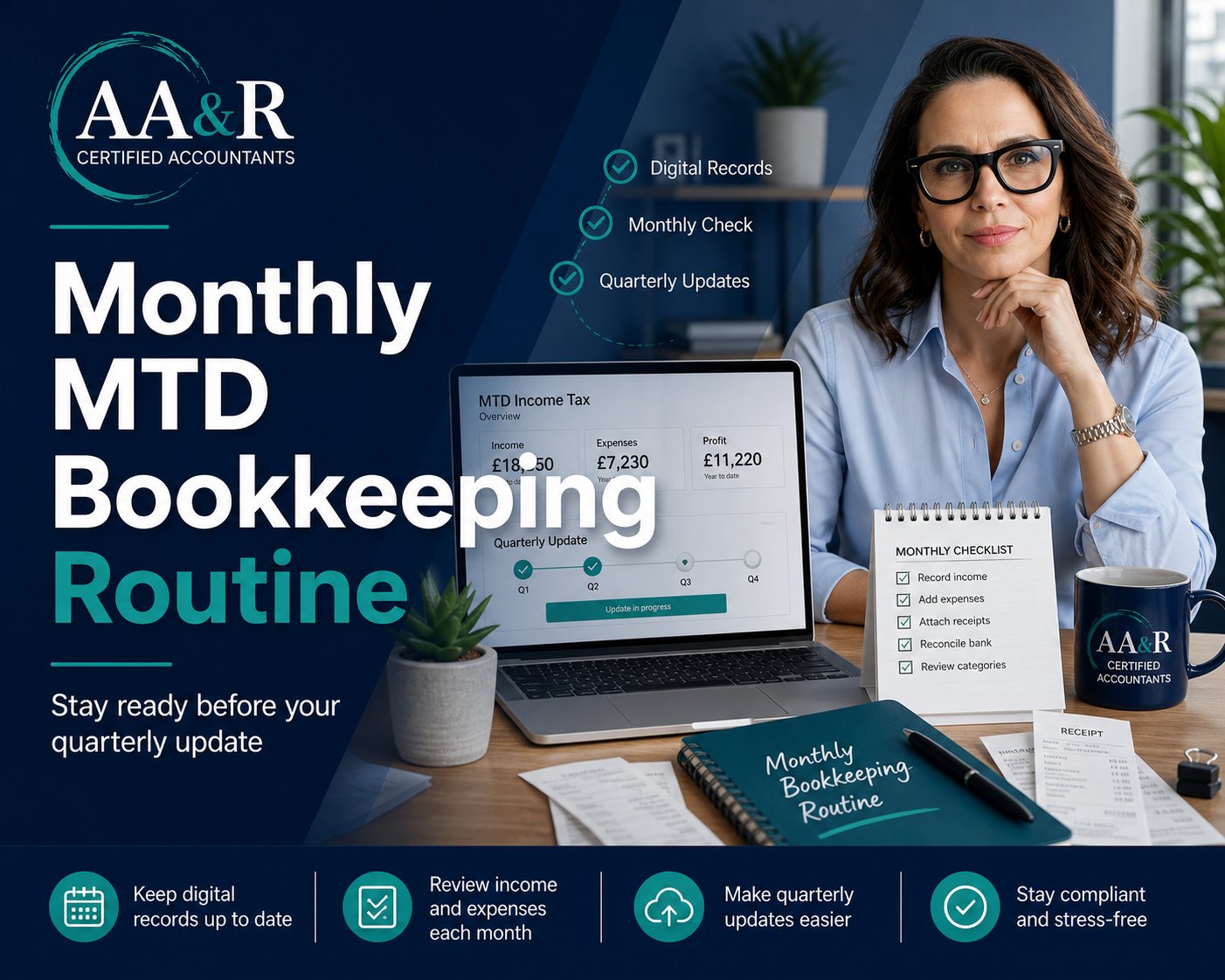
Making Tax Digital for Income Tax is now part of the tax landscape for many sole traders and landlords. If your qualifying income means you are in scope, the biggest change is not just that you use software. It is that your records need to be kept digitally and updated regularly enough to support quarterly submissions to HMRC.
That can sound like a lot, especially if you are used to sorting everything once a year.
The good news is that Making Tax Digital becomes much easier when you stop treating it as a quarterly panic and start treating it as a simple monthly routine.
This article explains a practical month-by-month approach that can help you stay organised, reduce mistakes, and make each quarterly update feel less stressful.
Why Monthly Bookkeeping Matters Under Making Tax Digital
Under Making Tax Digital for Income Tax, sole traders and landlords in scope need to use compatible software to keep digital records and send quarterly updates to HMRC.
GOV.UK guidance explains that MTD applies from 6 April 2026 for individuals with qualifying income over £50,000, from 6 April 2027 for those over £30,000, and from 6 April 2028 for those over £20,000.
Quarterly updates are based on the income and expense records held in your software. That means your records need to be ready before each update deadline.
If you leave everything until the end of the quarter, you may find yourself rushing through bank transactions, missing receipts, guessing categories, or trying to remember what a payment was for. Monthly bookkeeping helps prevent that.
The Monthly Routine: What To Do Each Month
You do not need to make bookkeeping complicated. For many small businesses and landlords, the key is having a consistent routine.
Here is a simple monthly structure.
1. Record Your Income
Start by checking that all income for the month has been recorded in your software.
For a sole trader, this might include invoices paid by clients, cash sales, card payments, or platform income. For a landlord, it may include rent received and any other property-related income.
The important point is to record the income clearly and consistently. Your software should hold the date, amount, and correct category so the information can feed into your quarterly update.
2. Add Your Expenses
Next, review your business or property expenses for the month.
This might include software subscriptions, professional fees, travel, materials, insurance, repairs, advertising, phone costs, bank charges, or letting agent fees.
Do not just rely on your memory. Use your bank feed, receipts, invoices, and supplier statements to check that expenses have been captured properly.
3. Attach Or Store Supporting Documents
Making Tax Digital is about digital records, but you should also keep supporting evidence for your figures.
That means keeping invoices, receipts, statements, and other documents that explain the income and expenses in your accounts.
Many bookkeeping systems allow you to upload or attach documents directly to transactions. If you use spreadsheets with bridging software, you still need a sensible system for storing the supporting documents.
4. Check Your Categories
A common reason bookkeeping becomes messy is that transactions are recorded in the wrong place.
Spend a few minutes each month checking that your income and expenses have been categorised correctly. For example, do not let software guesses decide everything automatically. A bank payment might look like general expenses, but it could actually be repairs, subscriptions, professional fees, or drawings.
Getting categories right each month is much easier than fixing three months of errors just before a quarterly update.
5. Reconcile Your Bank
Bank reconciliation means checking that the transactions in your bookkeeping system match your bank account.
This is one of the most useful habits for keeping records clean. It helps identify missing transactions, duplicated entries, personal payments, bank feed issues, or items that need more explanation.
If you only reconcile once a year, errors can hide for months. If you reconcile monthly, problems are easier to spot and fix.
6. Review Anything Unusual
Each month, make a note of anything that might need extra attention.
This could include:
- a large one-off purchase
- a refund
- a mixed personal and business payment
- a property repair
- a new income source
- a change in software
- a transaction you are unsure how to treat
You may not need to solve every issue immediately, but flagging it early means you can ask your accountant while the details are still fresh.
7. Keep A Quarterly Update Folder
Even if your records are in software, it helps to have a simple quarterly checklist.
For each quarter, keep a note of:
- the period covered
- the update deadline
- any missing receipts
- any questions for your accountant
- any unusual transactions
- whether the bank has been reconciled
This makes the quarterly update process calmer and more predictable.
What Happens At The End Of The Quarter?
Once the quarter has ended, your software should use the digital records you have kept to send the update to HMRC.
GOV.UK guidance explains that quarterly updates include totals for the income and expense categories used for your self-employment and property income. HMRC also explains that you do not have to send the update on the deadline day itself. You can send it any time from the end of the update period to the deadline.
That is why monthly bookkeeping is so helpful. If your records are already tidy, the quarterly update should be a review and submission process, not a last-minute rescue job.
A Simple Monthly MTD Checklist
Use this checklist at the end of each month:
- Record all income
- Add all business or property expenses
- Store receipts and invoices
- Check transaction categories
- Reconcile the bank account
- Review unusual transactions
- Make a note of questions for your accountant
- Check whether the next quarterly deadline is approaching
This routine does not need to take long, but it can make a big difference.
What Is Staying The Same?
Making Tax Digital changes how records are kept and updates are sent, but it does not remove your annual tax responsibilities.
GOV.UK guidance confirms that you still submit one tax return each year and pay your tax bill by 31 January following the end of the tax year.
In other words, quarterly updates help keep HMRC updated during the year, but they do not replace the need to review your final position properly.
How AA&R Certified Accountants Can Help
If you are unsure whether your bookkeeping system is ready for Making Tax Digital, now is the time to review it.
AA&R Certified Accountants can help you check whether MTD applies to you, review your current bookkeeping process, choose a suitable digital record-keeping approach, and prepare a monthly routine that works for your business or rental property.
The aim is simple: fewer surprises, cleaner records, and a smoother quarterly update process.


